You most likely know this behavior of medini: you have created or imported a structured system model, you create a new diagram, and you drag the top-level element to the diagram. As a result, you will see the element and all nested children on the diagram, like this:
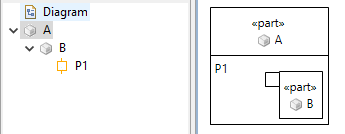
If the model is deeply nested that may look quite "packed" and may not be what you want. Now hold down the <ALT> key while or before you drag the element and you will only get that element on the diagram without any content:
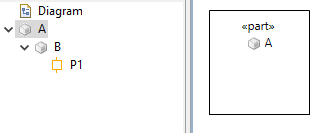
In some situations, this is closer to what you want to see. You can repeat that for any child of A.
Happy Working
Jan